Performance differences across the STM32 F4, F7, and H7
Three STM32 families sit one above the next in raw performance: the F4, the F7, and the H7. They share a name, a peripheral set, and one toolchain, so on paper they read as a single ladder with three rungs. The real distance between the rungs comes from the core inside each part, the caches wrapped around it, and the width of the path to memory, far more than from the clock printed on the box.
Three tiers under one name
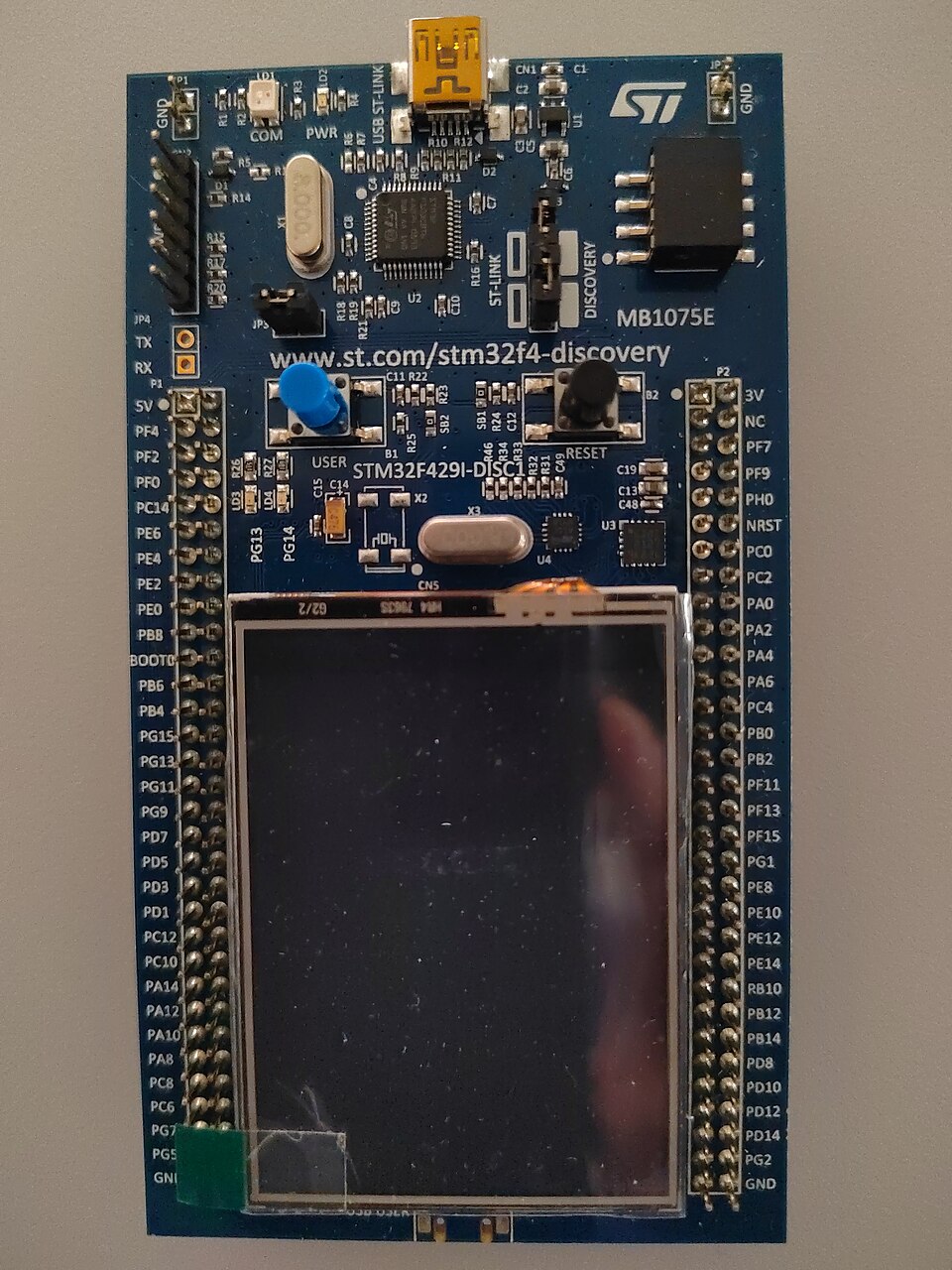
Pick up the three datasheets and the headline numbers look close enough to confuse. The F4 builds on the Cortex-M4 and clocks to 180 megahertz. The F7 and the larger H7 both run the Cortex-M7, the F7 to 216 and the H7 to 480, with a handful of H7 lines reaching 550. Stop at those figures and the H7 looks like an F4 with the dial turned up. That reading misses the whole point. The clock is one input to performance. The core that consumes each clock tick, and the memory that feeds it, decide how much work gets done in a second.
Read only the clock and the spacing looks gentle. The real gaps are far wider.
The core is the first gap: M4 against M7
The first and largest gap is the core itself, a difference that has almost nothing to do with clock speed. The Cortex-M4 is a single-issue machine: it fetches, decodes, and starts one instruction at a time, walking through a program in a tidy single file. The Cortex-M7 is dual-issue and superscalar, the wider core Arm documents as Arm’s Cortex-M7. When two neighbouring instructions do not depend on each other, it starts both in the same cycle, so a stretch of code that the M4 walks in twelve cycles can clear the M7 in seven or eight. A deeper, six-stage pipeline lets the M7 hold a higher clock without stalling. A branch predictor keeps that pipeline full through loops and ordinary control flow, where a guessed-right branch costs almost nothing. The floating-point hardware widens the gap again. Both cores carry a single-precision unit, enough for everyday control loops and audio. The M7 in the F7 and the H7 adds a full double-precision unit to the FPv5 standard, sixteen 64-bit registers deep, so navigation math, scientific code, and any algorithm with a wide dynamic range drops from a slow software emulation to a few native instructions. Both cores also carry the DSP extension: a single-cycle multiply-accumulate and SIMD instructions that pack 8-bit and 16-bit data. The CMSIS-DSP library leans on those instructions on either part, so an FFT or an FIR filter calls the same code on both and then runs faster on the M7, where the wider memory path keeps the multiplier fed. Arm puts numbers on all of it. The M4 delivers about 1.25 DMIPS per megahertz; the M7 about 2.14, close to seventy percent more work in every tick before the clock is even raised. CoreMark tells the same story, the M4 near three and a half per megahertz and the M7 around five. Stack the higher H7 clock on top of that per-cycle lead and the distance from an F4 stops looking like a single rung.
None of this asks anything of the programmer. The M7 runs the same Thumb instruction set as the M4, so an existing M4 project compiles for an H7 and comes out faster on the first build. The dual-issue pairing happens in hardware, in order, with no special code. Real firmware hits enough independent instruction pairs for the effect to show across a whole application, not only in a hand-tuned inner loop. That spare headroom is the quiet reason teams reach for an M7 even when no single feature demands it: the same code finishes with more cycles in hand.
That covers raw compute. A real program rarely spends all its time computing. It also waits on memory. That second front is where the H7 opens a lead the benchmark scores never show.
Where the core gap shows up depends on the work. A motor-control loop in single-precision floats, a sensor hub polling registers, a state machine nudging a few GPIO lines: jobs like these lean on neither the second issue slot nor the double-precision unit. An F4 runs them with cycles to spare. The picture changes the moment the work turns heavy. Real-time audio with several filter stages, a control law in 64-bit math, a vibration monitor running FFTs back to back: here the M7 starts to pay, finishing each frame with margin the M4 cannot find. The honest way to choose looks at the worst-case frame, the busiest moment the design still has to meet. A part sized only for the average drops samples or slips a deadline exactly when the system is busiest. The core decides how much each megahertz buys. The clock alone never answers the question; the work behind it does.
Caches, and the jitter they bring
The second front is memory. The first weapon the F7 and the H7 bring to it is a cache. Flash on these parts cannot keep up with a fast core, so a design has to hide the wait somewhere. The F4 carries no cache at all. It leans on a prefetch buffer and an ART accelerator that read ahead and hold decoded lines, a neat patch that works because an M4 at 180 megahertz does not outrun its flash by much. The M7 parts outrun their flash badly, so they carry true caches: a small instruction cache and a small data cache, a few kilobytes to tens of kilobytes each, sitting between the core and everything slower. The cache fills on the first pass through a routine and serves every later pass at full core speed, which is why a tight loop on an H7 can run as though the flash were not there. It works in lines, pulling a whole block of neighbouring bytes on each miss, so straight-line code and arrays see the largest gain. Turning it on is a one-time step at startup. From there the hardware runs it, with one policy choice left to the programmer: write-back or write-through on the data side.
Speed bought this way has a price: certainty. A cache makes the average case quick. It also makes the worst case harder to predict.
The trouble lives in that worst case. When the data a routine needs is already cached, the access returns in a cycle or two. When it is not, the core stalls while the line loads from slower memory, so the longest path through that routine grows and now depends on the cache state. Hard real-time code cannot live with that uncertainty. The M7 answer is tightly-coupled memory, the ITCM and the DTCM, which sit at core speed with no cache in front of them. A developer drops the timing-critical handler and its data there and leaves the bulk of the program in cache. One more habit comes with the data cache: a DMA engine writes to memory the cache cannot see, so a clean or an invalidate around each transfer keeps the core from reading stale bytes. Skipping that step is a classic first-week H7 bug, the kind that hides until a buffer quietly serves up old data. None of this exists on the cacheless F4. It is the main thing a developer relearns on the way up.
The clock is the smallest part
This is why the clock, the number that sells the part, explains the least. Line the three up at 180, 216, and 480 and the ratio looks fixed. The measured gap refuses to stay fixed. On a cache-friendly task that streams data, an H7 runs far past its clock margin over an F4, lifted by the wider memory and the deeper core. On a tiny loop locked into tightly-coupled memory, the same two parts settle near the bare clock ratio, around 2.7 to one. Same silicon, same benchmark suite, two different answers, with the workload as the deciding variable. A clock figure quoted with no workload beside it says almost nothing about how a part behaves in a real product.
Memory, where the H7 pulls away
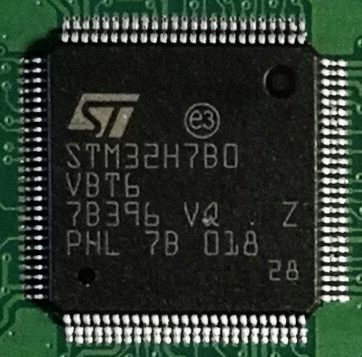
Memory is where the H7 leaves the F7 behind and becomes a different class of part. The whole design is organised around moving data. At the centre sits a multi-layer AXI bus matrix, a switchboard that lets the core, the DMA engines, and the peripherals each reach memory at the same time over separate paths. The RAM comes in several blocks, split into domains on their own buses, so a DMA filling one block leaves the core free to work in another with no contention. A large H7 carries more than a megabyte of this RAM all told. The Cortex-M7 reaches it over a 64-bit AXI path, the peripherals over separate AHB buses. The domains buy more than bandwidth. They are also power islands, named D1, D2, and D3, so a sleeping H7 keeps one small RAM block and a few peripherals alive on almost no current. A separate backup domain holds a few kilobytes of state through a reset or a standby. A design that thinks about which buffer lives in which domain gets the bandwidth and the low-power behaviour almost for free.
The payoff appears on anything that streams. A real example: a display refreshes from a framebuffer, a camera drops frames into RAM, and an audio channel moves blocks under DMA, all at once. On a narrow single-bus part those three would fight for one path. On the H7 each takes its own route through the matrix, so all three overlap. Three dedicated blocks make that overlap real. The LTDC streams pixels to the panel from a framebuffer in RAM. Image scaling and blending fall to the Chrom-ART accelerator, ST’s name for the DMA2D, which spares the core the work. A camera feed lands in memory through the DCMI. The core stays busy with its own work while the transfers run underneath. That overlap, far more than any single clock figure, is what a live display and a live camera need from one chip.
When on-chip RAM runs out, the H7 reaches outside for more. Its flexible memory controller drives external SDRAM. An OCTOSPI interface maps fast serial flash and RAM straight into the address space. Code can run from that external flash as though it sat on the die, a mode known as execute-in-place that leaves the internal flash free for other use. A framebuffer far larger than the internal RAM can live in external SDRAM. Those external parts answer more slowly than on-chip memory, so the same caches and DMA that serve internal RAM hide much of the latency behind the scenes. The result is a small microcontroller addressing display and buffer sizes its own silicon could never hold. The cost is a single slower first touch of external memory, repaid by the room it opens. For a colour UI or a camera pipeline, that trade is the one that lets the project fit on an H7 at all.
The biggest H7 parts go one step further and place two cores on the die, an M7 for the heavy work and an M4 to idle alongside it.
On a dual-core H7 the Cortex-M7 runs near 480 megahertz and the Cortex-M4 near 240, each with its own view of the shared memory and a set of hardware semaphores to coordinate. The two start in a defined order at reset and pass data through shared RAM. The split suits a system with one demanding main job and one steady background one. A motor-control loop can own the M7 and a communications stack the M4, each holding its own timing without stepping on the other. A single-core part can carry both jobs under an RTOS, so the second core is no free win. It pays off when the two jobs need genuine isolation, in timing or in power, that time-slicing on one core cannot promise. An audio product might keep the codec and the USB stack on the M7 and leave a low-power sensor task on the M4, the M4 holding watch in stop mode on almost no current. For everyday designs one core is plenty; the dual-core part waits for the case that genuinely needs it.
Choosing a tier for the work
| Series | Core | Max clock | On-chip cache | FPU | Top on-chip RAM | Built for |
|---|---|---|---|---|---|---|
| STM32F4 | Cortex-M4 | up to 180 MHz | none (ART accelerator) | single precision | around 320 KB | control, sensors, light DSP |
| STM32F7 | Cortex-M7 | up to 216 MHz | I-cache, D-cache, TCM | double precision | around 512 KB | audio, heavier DSP, smoother UI |
| STM32H7 | Cortex-M7 (option +M4) | 480 MHz, to 550 | I-cache, D-cache, larger TCM | double precision | 1 MB and up | displays, cameras, compute-heavy work |
Choosing between them starts by reading the worst-case work, then matching it to a tier. If the job is a control loop, a motor drive, or a sensor hub living in single-precision math, the F4 handles it with room left over and asks the least of the board. If the work grows into heavier signal processing, an audio chain, or a user interface that has to feel smooth, the cache and clock of the F7 carry it. If the job drives a display, pulls in a camera, or chews through compute over large buffers, the H7 is the part the work points to. The edges blur, of course. A design pressed against the ceiling of the F4 is happier on an F7. A graphical job that stays modest can rest on an F7 and skip the H7. A tier is a first cut that the detailed numbers then confirm. The cheapest way to settle a close call is to build each candidate on its dev board and measure.
Each step up adds cost and effort. The F4 comes in friendly packages and a single supply, the kind of part that drops onto a two-layer board. The H7 arrives in fine-pitch and BGA packages, wants several voltage rails, and expects a careful high-speed layout for its external memory. An internal SMPS option and voltage scaling claw some of that power back. The F7 lands between the two in both package and power. A first H7 board tends to spend more time in power and signal-integrity review than any F4 board did, so a team new to the family reads the power section of the datasheet before it settles a layout. The chip is the easy part to choose. The board around it is where the H7 asks for the work.
A little headroom repays its small premium. A part picked to run flat out on day one has nothing left for the feature that arrives in firmware a year later. A part one tier up absorbs that update with no respin. The family makes the move cheap: shared peripherals, shared HAL, shared Cube tools, so the bulk of an application carries from an F4 to an H7 with the cache and clock setup as the real porting work. The differences across the three are large. The road between them is short.
Is the H7 only a faster-clocked F4?
No. The H7 runs a Cortex-M7, a different core from the F4’s Cortex-M4, with a longer pipeline and dual-issue execution that does more per clock. It adds caches and a far wider memory system. The higher clock is one factor among several, which is why the H7 leads the F4 by much more than its clock ratio.
Does the F7 or H7 always beat the F4?
For raw throughput on the same task, yes. For a simple control job, the F4 is enough, costs less, and asks less of the board. The caches in the F7 and H7 also add timing jitter that the cacheless F4 avoids, so a deterministic loop on an F4 can be the cleaner answer.
Can I move code from an F4 to an H7 without much rework?
Yes, for nearly all code. The three share peripherals and the STM32Cube tools, so the drivers and the application code carry over. The extra steps are enabling and managing the caches, placing real-time code and data in tightly-coupled memory, and adjusting for the different clock tree and power rails.
What does the cache do to real-time timing?
It raises average throughput. It also adds worst-case jitter. When a line is in the cache, the access returns at core speed. When it is not, the core waits on slower memory, so the longest path through a routine grows. For code that must respond in a fixed time, place it and its data in the ITCM and DTCM, which run at core speed with no cache in front.
When does a dual-core H7 pay off?
When one demanding main job and one separate always-on job run together. The Cortex-M7 takes the heavy compute, with the Cortex-M4 handling the low-power background tasks. A single-core part can serve both with an RTOS, so the second core makes sense only when the two jobs need real isolation in power or timing.
How much faster is the H7 than the F4 in practice?
It depends on the work. Memory-bound and streaming tasks run several times faster, helped by the bandwidth and the caches. A tight loop that fits in fast memory runs closer to the plain clock ratio, near 2.7 times. Heavy floating-point or signal-processing math sits in between, lifted by the faster M7 core.