












Choosing between Keil and CubeMX for STM32 work
Keil and CubeMX both turn up the moment a new STM32 project starts. A beginner often takes them for two options in one slot. The two do different jobs at different stages. STM32CubeMX sets a chip up and writes its start-up code. Keil MDK compiles that code, debugs it on the hardware, and packages the firmware. One tool prepares the project. The other builds it. The real choice on the desk is which environment does the building. CubeMX then feeds whichever one a team picks.
Not a straight versus
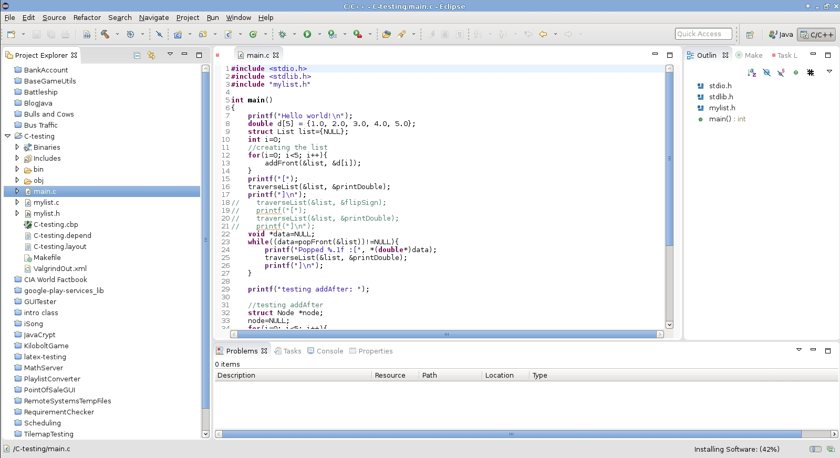
The confusion is easy to fall into. Both names sit in the same getting-started guides. Both come from the STM32 world. A first project touches both on the same afternoon. The order of the work is what separates them. A project begins in a configurator, where the chip’s pins, clocks, and peripherals get set. It ends in a build environment, where the code compiles and runs on silicon. CubeMX owns the first stage. A build environment owns the second. Keil MDK is one build environment among a few. The mix-up has a cause. ST ships both CubeMX and CubeIDE. Keil comes from Arm. A newcomer meets three names from two companies in the first hour. The names blur into one big decision. Pulling them apart into a configure step and a build step makes the whole picture settle. The configure side is settled already, since CubeMX has no real rival for STM32 setup. The open question is always the build side.
Reading the two as rivals leads to the wrong question. A team asks which one to learn. The answer is both, used at different points. The two run on different rhythms. CubeMX runs when the chip gets set up or changed. The build environment runs through the daily work of growing the firmware. The two meet at a generated project, the file CubeMX writes and the build environment opens. A team that keeps the two stages separate in its head stops asking the either-or question, since the configure step always belongs to CubeMX regardless of the build tool. Holding the stages apart turns one confusing decision into two simple ones.
So the title puts a versus where there is a sequence. The useful question is which build environment to stand behind CubeMX.
What CubeMX does
CubeMX opens on a picture of the chip. A designer clicks a pin and assigns it a function. The tool flags a conflict the moment two functions fight for one pin. The whole pinmux of a modern STM32, hundreds of choices, gets handled in a single view. The result is a pin assignment the silicon can deliver with no surprise at bring-up. The same view reaches past the pins: a tab assigns DMA channels to the peripherals that stream data, another sets the interrupt priorities in the NVIC, and a power calculator estimates the battery life of a configuration before any code runs. Each of those settings feeds the same generated start-up code. The tool also warns when a configuration draws more current or runs faster than the chip allows, before any of it reaches a board.
The clock tree fills the next screen. A modern STM32 runs a web of oscillators, multipliers, and dividers that feed the core, the buses, and each peripheral group. CubeMX draws that web and checks it live, so a frequency set too high lights up before it ever reaches the silicon. From the pinout and the clocks, the tool generates the start-up code, the initialization for every peripheral a project turned on, written in C and ready to compile. The generated code comes in two libraries. The HAL wraps each peripheral in high-level calls that read the same across the whole STM32 range, the choice for portable firmware. A project that needs the last bit of speed or code space drops to the LL, a thin layer that sits right on the registers. A project picks one library, or mixes them per peripheral. CubeMX regenerates all of it on demand. A later change to a pin or a clock flows back into the code. Nothing hand-written is lost in the pass. CubeMX configures the middleware in the same way. A few clicks add a FreeRTOS kernel, a USB device stack, a FatFS file system, or a TCP/IP stack. The tool wires each one to the peripherals and the clocks it needs. The project arrives with that middleware initialized. The generated files carry marked USER CODE blocks where hand-written code lives. CubeMX leaves those blocks alone on every regenerate, so a team keeps its application and its generated setup side by side through every later change. A recent CubeMX can lay out a C++ project for a team that writes in C++. The device database behind the tool carries every STM32 part number, so a new release covers a freshly launched chip within weeks.
What CubeMX writes is a whole project, ready for a build tool to open. The tool targets the major build environments directly: a µVision project for Keil, a workspace for IAR, an Eclipse project for ST’s own CubeIDE, or a plain Makefile for a GCC command line. A team tells CubeMX which one it uses. The generated project then opens straight in that tool. The export carries the build settings as well, the optimization level, the device defines, and the linker script, so the project compiles the moment it opens. The configurator stays neutral on the build side. The same export feeds a fresh project or updates one already under way, so a team adopts CubeMX on a board mid-design and keeps the work done so far.
CubeMX stops at the door of the build. It holds no compiler, runs no debugger, and flashes no chip on its own. The generated project is source code waiting for a toolchain. That boundary is the reason the question is never CubeMX by itself. Something has to compile what CubeMX writes. That something is the build environment a team chooses. The split is clean. CubeMX produces text files and a project description. A compiler turns those into a binary. A debugger loads the binary onto the chip. Three jobs in all. CubeMX does the first one only. A team reads the generated main and the peripheral files like any other source, since CubeMX writes plain, commented C. Nothing hides in a binary blob.
All of this is free. ST gives CubeMX away free. The tool covers every STM32 part. For the price of an afternoon learning the tool, a project skips days of hand-written register setup and the bugs that ride along with it. The configurator has become the default first step on a new STM32 board, whatever gets used to build afterward. CubeMX runs on Windows, macOS, and Linux, the same on each. A team picks its operating system freely. The download asks only for a free ST account.
CubeIDE, the free all-in-one
ST closes the loop with a build environment of its own. STM32CubeIDE folds CubeMX into an Eclipse-based IDE, adds the GCC compiler for Arm, the GDB debugger, and the ST-LINK flashing tools, and ships the whole stack as one free download. A team installs it once and configures, compiles, and debugs a project without leaving the window. CubeMX even lives inside it, so a pin change and a rebuild happen in the same place. For a team starting fresh on STM32 with no budget for tools, CubeIDE answers the build question on its own. It costs nothing and caps no code size. The debugger inside it goes well past a simple step and breakpoint. Live expressions show variables updating while the chip runs. The SWV viewer plots a value or counts an event over time through a single trace pin. A fault analyzer decodes a hard fault into the line that caused it. All of it ships in the free download, tied to the ST-LINK on every Nucleo and Discovery board, so a team gets a capable debugger with no separate purchase. CubeIDE imports a project from the older System Workbench or from a plain Makefile, so a team moving onto it carries existing work across. A build analyzer breaks the final image down by function and by section. The breakdown shows where the flash and the RAM went. A single installer brings the whole stack onto a fresh machine in one step, with the toolchain and the ST-LINK drivers included. The same install runs on Windows, macOS, and Linux, so a mixed team shares one environment. Updates arrive from ST on a steady release cycle. A project moves forward with each one.
What Keil MDK adds
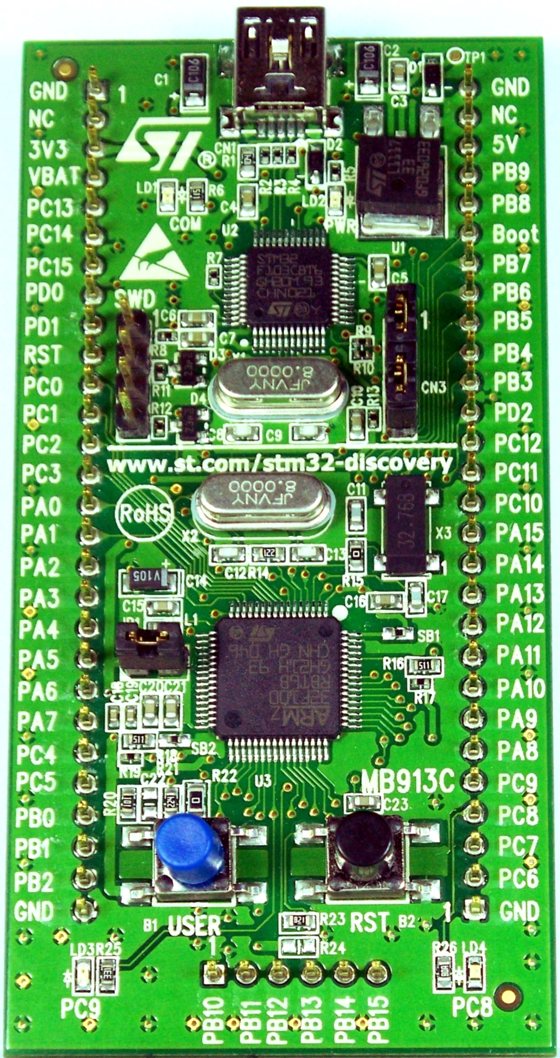
Keil MDK is the long-standing commercial environment for Arm microcontrollers. It predates much of the STM32 ecosystem around it. At its centre sit the µVision IDE, the Arm Compiler, and a debugger aimed at deep work on Cortex-M. A team opens a CubeMX-generated µVision project and works from there: edit, build, flash, and step through code on the chip. The environment has shipped since the 1990s and carries the habits of a generation of embedded teams. Its project format, its pack manager, and its debugger layout are familiar across the industry. A new hire who has used Keil elsewhere is productive on the first day. A large library of CMSIS-Packs extends the environment to a specific chip, a sensor, or a middleware component, each installed from within the tool. The pack mechanism is the same one CubeMX and the other Arm tools read, so a part’s support arrives in a standard form.
The compiler is the part a serious project leans on. Keil ships the Arm Compiler 6, the LLVM-based toolchain Arm tunes for its own cores, with link-time optimization that squeezes the final image. The debugger reaches deep into a running Cortex-M, with event tracing, real-time variable watch, and an RTOS-aware view of the system. The CMSIS packs, the bundled RTX kernel, and the middleware round out a stack a team can build a finished product on. A hardware debug probe widens the view further. The ULINK probes add instruction trace and timing on the parts that expose an ETM port. The packaged static analyzer and the MISRA checker matter to a team writing to a coding standard. These pieces come tested together as one product. A built-in simulator runs Cortex-M code with no hardware attached, a help for early algorithm work. The trace tools timestamp events to the cycle on the parts that carry the hardware for it.
The licensing is where the cost question lands. Keil long offered a free MDK-Lite for code up to 32 kilobytes, a size that suits evaluation. Arm has since added a free MDK Community Edition that lifts the code-size limit for non-commercial use, for students, hobbyists, and open-source work. The commercial licence, paid per seat in tiers, is the one a for-profit product needs. That licence is the line a team weighs against the free path. The paid editions climb in tiers: MDK-Essential for the compiler and debugger, MDK-Plus for network, USB, and file-system middleware, and MDK-Professional for the rest with the heavier protocol stacks. A team buys the tier its product needs. Licences come node-locked to one machine or floating across a team from a server, counted by the seats in use. A shop sizes the purchase to how many engineers build at once.
Keil suits a team that ships commercial firmware and wants one vendor behind the whole toolchain. The compiler, the debugger, and the support all arrive from one place, with a contract and a response time behind them. A shop building safety-related or long-lived products often counts that backing as reason enough for the fee. The licence fee buys two quiet things. The polish of a tool refined for decades shows in the day-to-day work. The support contract sits inside the price. A blocking compiler bug on a paid licence opens a ticket with a name and a response time behind it. A team on a deadline counts that backing.
Using them together
In practice the two run as a pipeline. A project starts in CubeMX, where the pins, clocks, and peripherals get set and the start-up code gets written. CubeMX exports a µVision project. Keil opens it, compiles it, and drives the debugger. A change to the hardware sends the work back to CubeMX for a regenerate. The µVision project then picks the new code up. The two tools pass one project back and forth for the life of the design. The handoff runs through one file. CubeMX records every choice in a .ioc file and writes the code from it. Keil never edits the .ioc. A hardware change reopens the .ioc in CubeMX, takes the new settings, and regenerates. The USER CODE blocks survive the pass untouched. A team keeps the .ioc file in version control next to the source, so the configuration travels with the code through every branch and review.
The same pipeline runs with any build environment. CubeMX feeds IAR, CubeIDE, or a Makefile the same way it feeds Keil. A team that learns CubeMX once carries that step across every STM32 project, whatever it builds in afterward. The build environment is the part a team settles by budget, by team habit, and by the product’s demands. A Makefile export takes the same project to a command line and a build server. A continuous-integration job compiles the firmware on every commit, with the build running headless. The configure step in CubeMX feeds that pipeline the same way it feeds a desktop. The build server runs the exact toolchain the desktop runs, so a binary from the line matches a binary from a developer’s machine.
Choosing the build environment
The choice comes down to the build environment. A few plain factors decide it. Budget sets the floor. Team habit and existing code pull toward what a shop already runs. The product’s demands, safety, code size, and support, set the ceiling. The tools sort out like this:
| Tool | Role | Cost | Compiler |
|---|---|---|---|
| STM32CubeMX | Pinout, clock, and peripheral config; C code generation | Free | none (exports a project) |
| STM32CubeIDE | Full IDE: edit, build, debug | Free | GCC (arm-none-eabi) |
| Keil MDK Community | Full IDE: µVision, build, debug | Free, non-commercial | Arm Compiler 6 |
| Keil MDK Professional | Full IDE plus vendor support | Paid, per seat | Arm Compiler 6 |
A team with no tool budget has a complete free path. CubeMX and CubeIDE together configure, build, and debug a real STM32 product at no cost, with GCC doing the compiling. A team that wants a commercial compiler, a vendor’s debugger, and a support contract pays for Keil or IAR. Both paths build the same firmware on the same chip. The difference is the polish, the support, and the licence on the desk. A third option sits beside the two. IAR Embedded Workbench is another paid environment, long used in industrial and automotive work, with its own compiler and a strong debugger. A team already standardised on IAR keeps CubeMX in front of it the same way. The choice of compiler rarely drives the decision on its own. Plenty of shipping commercial products run on the free GCC path. The paid route buys support and polish. It leaves the chip’s full capability open on either path.
For a hobby project, a student, or an early prototype, the free path wins on cost alone. CubeIDE carries it end to end. For a commercial product with a budget for tools and a need for vendor support, Keil earns its licence. CubeMX sits under both paths. A team learns the configurator first, picks the build environment its product and its budget point to, and keeps CubeMX feeding whichever one it lands on. A common path starts on the free tools and adds a paid licence only when a product and a budget call for it. CubeMX carries across that move untouched, so the early work is never thrown away. The chip runs the same firmware whichever desk built it. The decision turns on the people and the budget around the chip. The silicon plays no part in it.
Is it Keil or CubeMX, which one do I pick?
Neither replaces the other. STM32CubeMX configures the chip and generates the start-up code. Keil MDK compiles, debugs, and packages the firmware. A real project uses CubeMX plus a build environment, so the actual decision is which build environment to run: Keil, IAR, ST’s free CubeIDE, or a GCC Makefile. CubeMX feeds any of them. The configure step stays the same whichever build tool a team lands on, so the time spent learning CubeMX is never wasted.
Is STM32CubeMX free?
Yes. ST gives CubeMX away at no cost. The tool tracks every STM32 part. It generates initialization C code for the chosen pins, clocks, and peripherals, in either the HAL or the LL library, and exports a ready project for Keil, IAR, CubeIDE, or a Makefile. It holds no compiler of its own, so a build environment finishes the job.
Is there a free alternative to Keil for STM32?
Yes. STM32CubeIDE is ST’s free build environment: an Eclipse IDE with CubeMX built in, the GCC compiler for Arm, the GDB debugger, and the ST-LINK tools, with no code-size limit. It covers a full STM32 product end to end at no cost. Keil also offers a free MDK Community Edition for non-commercial use. For a commercial team, the same free CubeIDE still serves, since its licence allows commercial use at no cost.
What does Keil MDK cost?
Keil MDK comes in tiers. The legacy MDK-Lite is free for code up to 32 kilobytes. The newer MDK Community Edition is free for non-commercial use, students, hobbyists, and open-source work, with the code-size limit lifted. A product that ships for profit needs a paid commercial licence, sold per seat in editions that add middleware and support. A team can start on the free Community edition and move to a commercial licence the day a product begins to ship for profit.
Can I use CubeMX and Keil together?
Yes, and that is the normal workflow. CubeMX generates a µVision project for Keil directly. A team configures the chip and the peripherals in CubeMX, then edits, compiles, and debugs in Keil. A later hardware change goes back to CubeMX for a regenerate. Keil then picks the updated code up. The same pairing works with IAR and CubeIDE.